Every week since the first commit, I've written down what I built, what I broke, and what I learned. This is the public record of Cosmic Scale taking shape, one Saturday at a time. Newest entries at the top.
◆ Subscribe
Devlogs land here weekly; the newsletter is the monthly digest version, so it's about one email per month. No spam. Unsubscribe with one click.
WEEK 32 · 2026-08-30 · ~2 min read
SYSTEMS
You can leave the star system now
This week the game stopped being one star system. Open the system map, pick another star, and go. The trip takes real time that scales with how far you are travelling, and the world you left comes apart and rebuilds itself around you while you are in transit. Starting a new game also lets you choose which world you land on in the first place. I want to be honest about where this stands: the trip works, and I have not yet seen it through a player's eyes. That is near the top of the weekend list.
The other half of the week went into the game finally explaining itself. Fifty-eight of the hundred and six items were rendering as blank squares in the inventory, and now every one of them draws. Press K on almost anything and the game will tell you where a steel beam comes from and what it goes into, which is a question it could not answer at all before. You can pin a building, a recipe or a research node, and a strip on the right keeps tracking what you still need to gather for it, instead of the numbers vanishing the moment you close the panel to go and mine something. Research got grouped into a readable tree as well, and you pay for it with science packs you craft like any other item.
Put together, the game got bigger and easier to understand in the same week, and I did not plan for those to land together. The second one matters more than it sounds like it should. A factory game lives or dies on whether you can answer "what do I need and where does it come from" without opening a wiki, and until this week mine could not.
One note from outside the game: the website grew a 3D layer this week. The game page opens on a planet journey built from the real in-game models, and the studio home page grows an oak in the background as you scroll. It is at oaktree-games.com if you want a look.
Next week I get to be the first person to actually take the trip properly. I will tell you how it goes.
cosmic-scaletraveluiresearchitems
WEEK 31 · 2026-08-23 · ~2 min read
DESIGN
I stopped building and played it
I stopped building things this week and actually played the game instead, properly, with a checklist open on one monitor and a notes window on the other. Fifty-three checks the first time through, then another full run after the first round of fixes went in, and between the two of them I came out with a list long enough to keep me busy for a good while.
Playing your own game is a strange exercise, because you cannot un-know where anything is or how it is meant to work, so you skate straight past the things a new player would trip over in the first minute. What it does catch is everything that is quietly broken, and there was plenty of it: item icons that had never actually been drawn and were rendering as blanks, a weather effect you genuinely could not see happening from ground level, and machines that were running perfectly and gave you absolutely no sign that they were doing anything at all.
That last one turned into the most visible fix of the whole week. Machines vent as they work now, and placing or tearing down a building throws up dust where it lands. Nothing about the underlying simulation changed even slightly, and the factory suddenly reads as alive, because you can stand there and watch it working rather than checking a number in a panel to confirm it.
Every building in the game also has an icon now, all one hundred and forty-one of them, baked from the real model where a real model exists and from a placeholder shape where one does not. I want that gap to stay visible while we fill it in, because a placeholder icon tells me at a glance exactly which buildings still need art, and something prettier would just hide the list from me.
Eleven separate fixes came out of the first run and went straight back in, and the second run turned up more. I also built a small console into the game for capturing notes as I play, because a good half of what I found was stuff the checklist had never thought to ask about. The third run will turn up more again, and the list is mine to work through... for now, anyway.
cosmic-scaleplaytestvfxuipolish
WEEK 30 · 2026-08-16 · ~2 min read
ART
Out of Blender and onto the planet
The buildings finally came out of Blender and into the actual game this week, which is the step I had been quietly putting off for a while, because it is the one where you find out whether the thing you signed off on holds up once it is standing in the world instead of floating in a modelling program.
Seven models made the crossing. The Power Pole, the Storage Crate and the Constructor each went through a few rounds of revisions before I was happy with them, and every single one needed another pass once I could see it sitting on a real planet surface. The Crate's base became an open trestle so it reads as a structure holding something up off the ground. The Constructor got rebuilt at a completely different footprint with a recessed work well cut into it, so the arm actually has somewhere to work. The Power Pole lost about half of its detailing and gained a proper cable harness that you can read from across the map.
Detail that looks fantastic when you are two feet from a model in Blender turns into visual mush at the distance a player actually stands from a building, so a good part of this pass was spent subtracting detail.
The world underneath the buildings got a serious upgrade too. There is a real sun now with proper cascaded shadows, so the lit side of a planet reads as genuinely lit and the line between day and night curves the way it should across a sphere. The terrain also carries its own grain per biome now with detail maps that actually work, so walking from one biome into the next gives you something more than a colour change under your feet.
Most of the set is still grey boxes and I want to be upfront about that, because it would be very easy to post the seven good screenshots and let everyone assume the whole game looks like that. It does not, yet. What we do have now is a pipeline that works end to end, from a Blender file to a thing standing on a planet with the right footprint and the right ports, and the rest of it is time and a great many Saturdays.
cosmic-scaleartrenderingterrainlighting
WEEK 29 · 2026-08-09 · ~2 min read
ART
The Smelter wrote the rulebook
Almost all of this week went into a single machine, and I mean one machine. The Smelter got rebuilt from scratch three separate times before it became something I was willing to sign off on, and the reason it consumed that much time is that everything else in the factory now gets derived from it rather than designed on its own.
That part I genuinely did not see coming when I started. Once the Smelter finally looked right, the rules that made it look right turned into an actual language I could apply everywhere else: how tall a powered machine stands, where its input and output faces sit and what colour they read as, what the lighting does across a shell, how much surface detail earns its place before the whole thing turns to noise. Twelve machines came off that baseline afterward across a few rounds of revisions, and for the first time they look like they belong to the same factory in the same game.
The player character did not go nearly as well. I am four restarts deep and it is still not right. I tried it as sculpted segments that assemble into a figure, then as a hard-surface kit built from parts, then as a generated base that I brought in and reworked by hand, and every single attempt got further along than the last one without ever getting close enough to keep. That lane is parked for now while I think properly about what the character in this game actually is.
I also spent a day on determinism, which is the rule that says every player's copy of the world has to generate identically from the same seed. Six separate things were quietly breaking it, and none of them would have shown up until two people tried to play together and found their worlds had drifted apart. That is invisible work with nothing to show for it, and the entire multiplayer plan falls over without it, so it was worth the day.
Twelve machines I am happy with and a character I am not. We will get there... probably on restart six.
cosmic-scaleartblenderdeterminismmultiplayer
WEEK 28 · 2026-08-02 · ~2 min read
AUDIO
Sound, an ending, and freighters that fly
The 3D port had been completely silent up to this point. Everything I moved across from the 2D version worked the way it was supposed to and made absolutely no noise while doing it, and sitting in front of a factory game where belts run and machines cycle in total silence is a genuinely strange experience that I had not accounted for going in.
So audio went in this week. It is all placeholder sound that I synthesized myself so the licensing stays clean and none of it is final, but machines hum, belts move, and there is an ambience bed underneath the whole world now with the listener riding on the player so things sound right as you walk around.
Two systems the 3D version had been missing also came back. The ending exists again, which means the Dyson swarm has to be built, fed, and held at ten petawatts before you have actually won anything, and that number is the real Kardashev Type-1 boundary rather than a figure I picked because it read well. Trade also stopped being a menu you click through. The partner stations are real places sitting out in the system now, and when you accept a contract a freighter genuinely flies the route to fill it, so the orbital economy finally has a door you can stand and watch things move through.
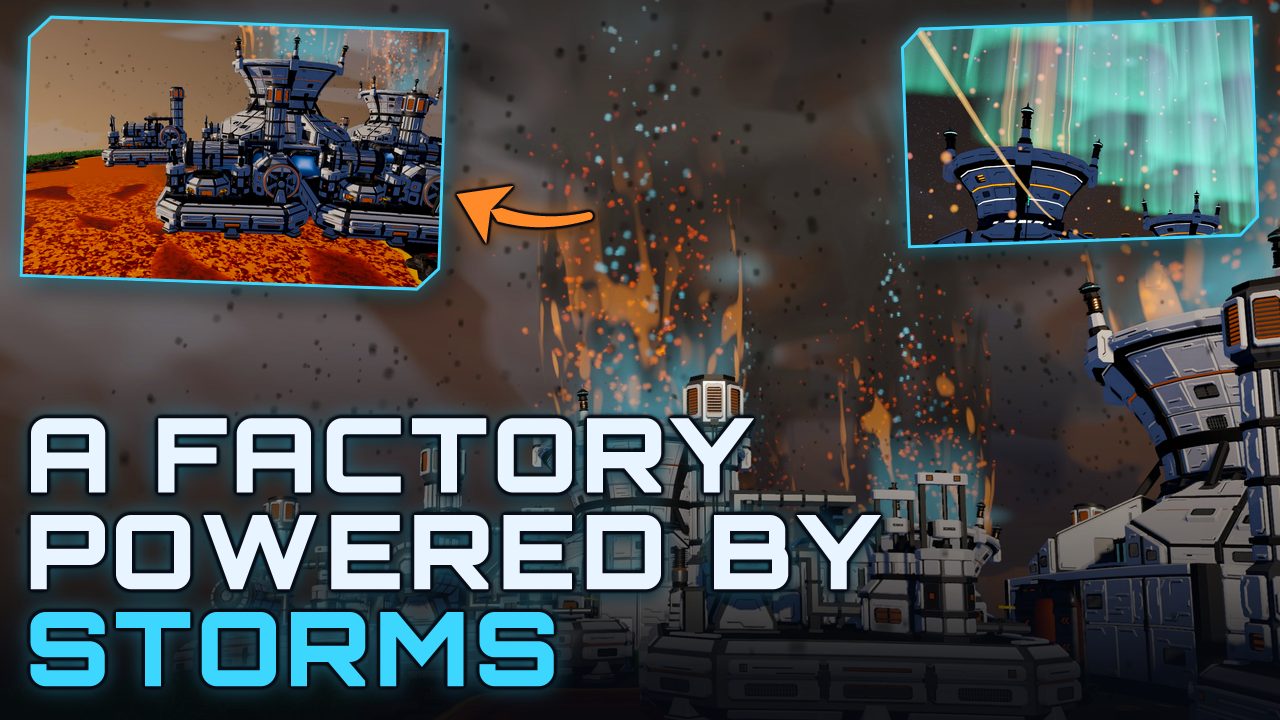
Weather came back as well, though we rebuilt how it works underneath. It gets worked out from the clock as it runs, so nothing has to be stored anywhere, which means a planet you are nowhere near still has weather happening on it and keeping that true across a whole generated system costs us essentially nothing in save size or network traffic. The power ladder reads it properly now too, so storms feed the machines that need them.
The rest of the week went into instrumentation, mostly because I built a small hitch detector and it caught something ugly on its very first honest run. Loading a world freezes the game for about seven and a half seconds, and all of it happens inside one single frame, so watching the frame rate counter never showed it to me at all. Most of that is one texture bake running on the main thread on purpose. I know precisely where it lives and I have not touched it yet, because the obvious fix breaks something worse... the player needs solid ground underneath them before their first step or they drop straight through the planet.
cosmic-scaleaudiotradeweatherendgame
WEEK 27 · 2026-07-26 · ~2 min read
WORLDGEN
Cosmic Scaling to 3D
For a long time the 2D version of Cosmic Scale ran on an endlessly scrolling procedurally generated world. You could load chunks and continue walking forever which really didn't give way to the planetary feel I wanted for my factory game.
My thoughts and game ideas were being hindered in the 2D version of Cosmic Scale. I wanted planetary systems that actually meant something, and travel between places that felt like travel, and an endgame about wrapping a star that made sense from where the player was standing. An endless flat map gives you all the room in the world and it never gives you anywhere to go and further explore in this endless star system generating game system I was now traveling on the path toward creating.
So this week I stopped adding to the 2D version and instead began porting and recreating this in 3D, mostly to answer one question: could I build something that feels like a galaxy that generates forever, with real planets inside unique solar systems you can actually take full control over in this Type-1 style game?
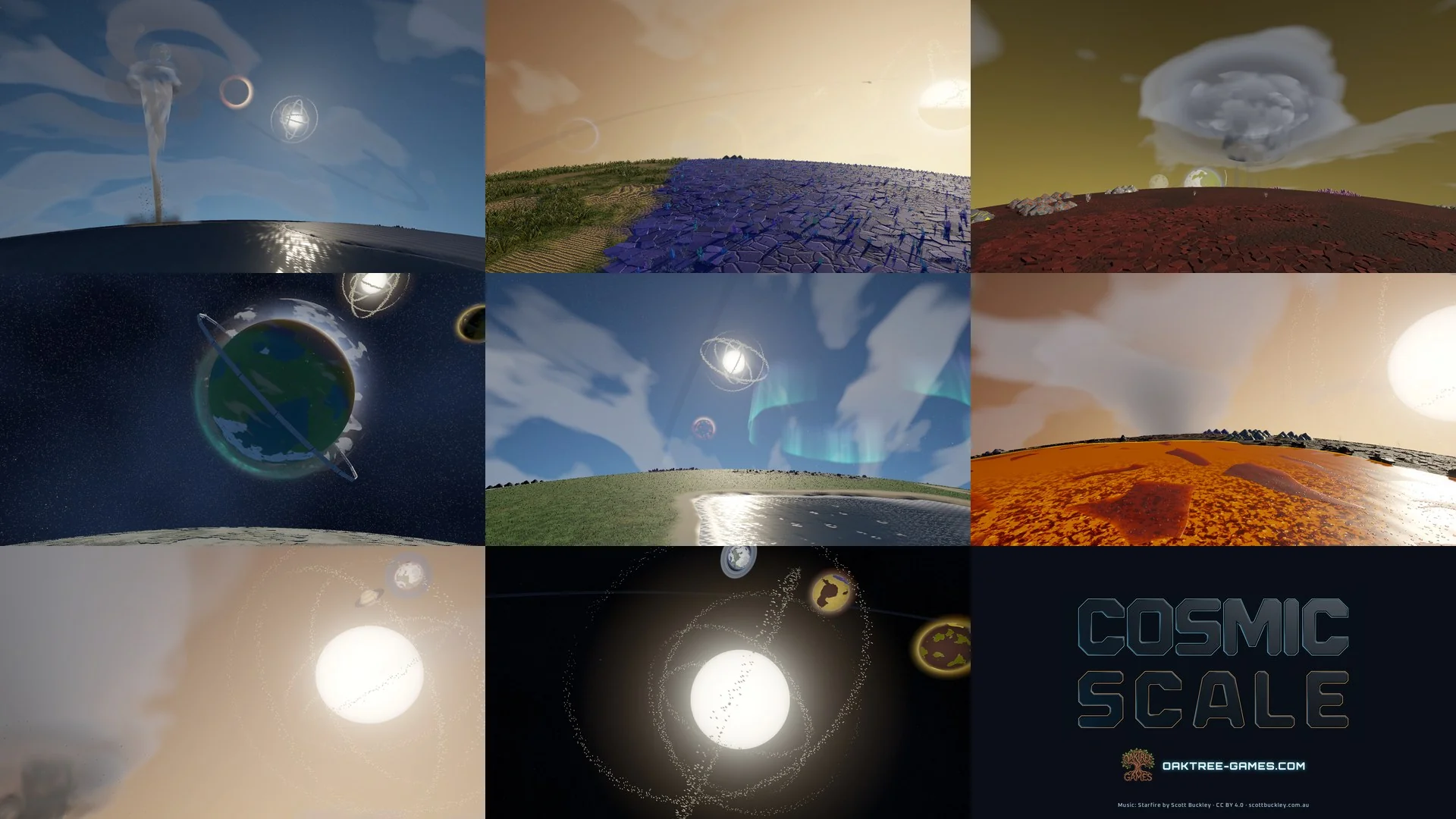
The easy answer is yes, but not without a lot of hard weeks ahead. Planets in the new version are spherical with various moons, rings, gas giants you can only hover above and so on. You can walk all the way around one and arrive back where you started with accurate gravity and camera/player controls. The game also scales into new branching pathways with entirely procedurally generated and spawning planets, stars, and unique system layouts that all adhere within a set bound of rules we can now toggle and play with to fine tune this moving forward.
Most of this week's work went into feeling out the initial system spawning for the solar system, planet traversal feel, and other elements to make sure that what we are generating truly feels like a factory in space where the player can eventually set up networks of logistics and interplanetary and intersystem dynamics for our game to scale with however large the player can imagine building into the universe we are creating. The random seeds were confirmed to be working as intended per some debug logging and testing I did and then we moved from here into the end of the week with the planetary world grid which will probably be worked on and managed until we publish this game. Who knew wrapping a sphere in squares was difficult... a.k.a. impossible.
cosmic-scale3dworldgenplanets
WEEK 26 · 2026-07-19 · ~1 min read
DESIGN
Infinite Initiative 0.6: one card, one thing
Infinite Initiative went up in June as a one-week experiment, and the loudest note, including from me every time I played it, was that the cards did too much. One card could deal damage and apply a debuff and buff a stat, all crammed into fine print. So 0.6 tears the card set apart and rebuilds it on one rule. Every card does exactly one thing. It hits, or it blocks, or it poisons, or it heals, or it feeds your combo. Never a paragraph of them at once.
The classes came out more distinct instead of less. When each card is one clear verb, your deck is just the mix of verbs you picked, and that mix is your build. A Warrior turn reads like a Warrior turn now. Rogues poison and steal, Bards sing points onto the combo counter, Barbarians pay in blood. The showy stuff moved into three keywords instead of card text. And with one action per card, the faces finally had room to breathe. Bigger art, one big number, and the combo bonus riding on top instead of buried in a sentence.
The fix I'm happiest about is the quiet one. The game is supposed to get deeper the longer you push, forever, but if you actually charted it the far runs had been drifting out of reach instead of into it. That's corrected now. Your rewards scale with the depth the way they always should have, so a long run compounds instead of stalling out. A stack of honesty fixes rode along too. Debuffs do what they say instead of scaling into whole-fight locks, your poison respects your shields, and the tutorial can't reach out and overwrite a real save anymore.
Your old saves carry over. If a deck you loved plays differently now, that's the balance pass landing, and it's exactly what I want to hear about. Tell me which card and I'll take a look.
infinite-initiativeupdatecombatbalanceprogression
WEEK 25 · 2026-07-05 · ~2 min read
DESIGN
Nine notes from playing my own game
Second sit-down-and-actually-play week in a month. This one ended with nine notes, and the rest of the week went into working down the list.
The biggest note was the horizon. Cosmic Scale bends the world in the distance so it feels like you're standing on a small planet, but the bend was tied to the camera zoom. Zoom in far enough and tiles two squares away would start curving. Worse, nothing actually left when it went over the edge. Buildings would roll past the horizon, flip over, and come sliding back down the sky. I'd been looking at that for weeks and somehow stopped seeing it. Now the ground stays flat around you at every zoom, rolls away once at a fixed distance, and anything past the edge is actually gone. The sun sets right on that line now, and that one detail carries more than it should.
The first hour got a once-over too. A new game starts you at a crafting bench with a sensible starter kit instead of my old test loadout, and you can smelt your first ore right at the bench. Ore sits in the ground now as proper two-by-two patches that visibly run down as you mine them, instead of floating on top of the terrain. And dying no longer deletes everything you were carrying. Your items scatter as pickups and wait for you, even through a save and load.
Weather got the same pass. You can see the rain fall now, each storm type has its own cloud deck instead of one gray smear, and the machines that harvest storms finally push what they make out onto belts, so the weather economy runs end to end instead of on paper. The sun rises on the left, arcs through noon, and sets on the right, with the sky shifting to match.
Down the list: buttons respond with a little hover-and-click feedback, scrolling is quicker, popups can't hide behind the HUD anymore, and a few systems that were silently switched off (achievement popups, notifications, tutorial highlights, ambient audio) are on. There's a buildable lamp post now. And reaching the ending earns a proper victory moment instead of a four-second banner.
Infinite Initiative got a quiet fix pass too: a crash on the game-over screen, an event that paid out gold for nothing, and some accessibility work around reduced motion and screen readers. Those are done and being tested.
Everything above is holding so far. I'll see what the next playthrough turns up.
Last post was all sky: storms you can finally watch, weather on all twelve biomes. This week was the opposite kind of week. Nothing new to look at. I went through the game one system at a time, saves to belts to buildings, looking for the quiet bugs that would embarrass me later. A theme showed up fast: the game had too many ways to eat your items.
Underground belts (the ones that carry items beneath your factory so lines can cross) could drop what was traveling through them when you saved and reloaded. Gone, no trace. Demolishing a splitter, the little building that divides one belt into several, did something similar: the building came back to your inventory, but whatever items it was holding at that moment just vanished. Both are fixed now. You can save mid-flow and load back into the same factory, and tearing down a splitter or a merger hands back what was inside it. A factory game that loses your items isn't much of a factory game.
The strangest find of the sweep: most of the buildings are still waiting on their final art, and it turns out a building with no art wasn't drawn small or drawn wrong. It wasn't drawn at all. 113 of them. Placed, powered, working away, completely invisible. They render with a proper stand-in look now, so you can see the factory you actually built while the real art catches up.
Smaller finds from the same sweep: the production stats screen was listing your top producers by their internal code names instead of their real item names, and the machines that charge energy cells could forget a half-finished charge if you saved at the wrong moment. Both sorted, as far as my testing can tell.
Infinite Initiative got the same treatment in the margins. Imported save files get checked over properly before they load, you can't re-roll an event by stepping out of the room and walking back in anymore, and a few leftover animations now respect the reduced-motion setting (the one for players who want less movement on screen) like they should have all along.
Nothing here will sell a single copy. But every one of these is a bug somebody would have hit in their first hour with the game, and I would much rather be the one who hits them. Break something I missed and let me know!
Last week was all under-the-hood work on the ending. This week I actually sat down and played Cosmic Scale like a player, and some of what follows came straight off that playtest list.
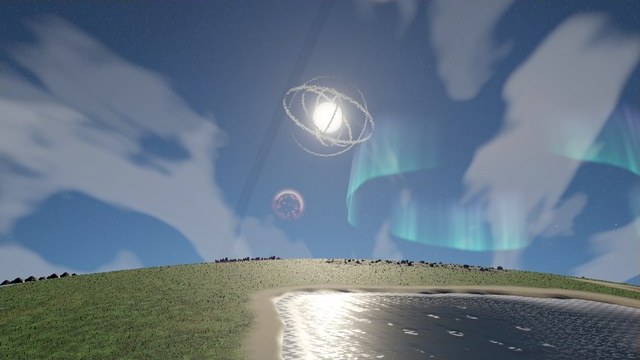
The big visible change is weather. Storms already matter mechanically (they feed the machines that make some of the materials on the road to the ending), but on screen, every storm particle drew as a solid square, so rain came down as little blocks. Turns out the effect was never handed a texture, so it drew the default: a square. That's fixed at the source, and each storm type got its own shape on top of it. Rain falls in streaks, snow tumbles sideways, sandstorms get a hard horizontal shear, and hurricanes have an actual eye in the middle. Lightning is a real jagged bolt from cloud to ground now. And weather only ever existed on four of the twelve biomes; all twelve have their own now. The system that gates the endgame is finally one you can stand there and watch.
Two new buildings went in. The Smart Splitter lets you tell each output which items are allowed down its belt, so sorting a mixed line stops being a timing puzzle. The Cosmic Collector eats your overflow and pays you back a little in points you can spend. And the four trade planets no longer unlock all at once. They're staggered across the research tree, so there's a reason to keep reaching outward.
The playtest also explained why menus kept ballooning and overlapping each other: a saved setting had the interface scale stuck at its maximum. That's untangled now, the HUD panels can collapse out of the way, and opening any full menu hides the rest of the screen clutter until you close it.
Then there's mountains. I took a few runs at them this week: shaded cliff faces one night, stacked tiers with contour lines the next. None of it looked right next to the rest of the game. So mountain spawning is off entirely for now, behind a switch I can flip back when I figure out what mountains here should actually be. The world is a little flatter this week, and honestly better for it.
Smaller bits: ARIA, the AI narrator, has a unique line for every one of the 56 achievements now, co-op is wired up for eight players under the hood (not something you can jump into yet), and Infinite Initiative got a quiet round of bug fixes on the side. The playtest list isn't empty, but it's shorter than it was.
cosmic-scaleweatherbiomesbuildingsuiplaytest
WEEK 22 · 2026-06-14 · ~2 min read
SYSTEMS
The ending finally means Type-1
After five weeks on Infinite Initiative, this one is back on Cosmic Scale. The side project shipped and settled down, and the whole week went into a question I'd been quietly avoiding: does winning the game actually mean reaching Kardashev Type-1, the thing the pitch promises? Until now it didn't. The victory fired at a number that had nothing to do with it.
A Type-1 civilization runs on about ten petawatts of power, and the game literally couldn't count that high. Power was stored in a number type that tops out around a few billion watts, so I swapped it for a bigger one that can. Dull fix, honestly. But now there's a Kardashev readout on the HUD that climbs toward 1.00 as you close in, and the ending only triggers once you're genuinely sustaining ten petawatts, not when you hit some launch count partway up.
In play, that means the Dyson swarm's output is real: the number of sails you've launched times how efficient each sail is, and you need both. You launch your way toward ten thousand sails, and you push a research line that multiplies what each sail pulls from the star, up to a thousand times. The swarm decays if you stop feeding it, so early on you're launching just to hold steady. That same research eventually lets it hold on its own, though, so a well-built late-game swarm doesn't need a babysitter. Feeding something that size takes more ore than the old miners could move, so there's also a new cluster miner that works a whole patch of nodes at once.
The part I like most is that the win runs through the weather machines from Week 15 now. The final gate item needs cyclone cores, and the new sail research burns cyclone cores and storm essence on top of that. You can't stumble into the ending anymore. You climb the power ladder and run the weather chain on purpose.
The week closed with a does-this-actually-work sweep. Saves come back exactly as you left them: charged batteries, running reactors, half-done crafts, even a finished victory. The autosave setting finally does what it says. Every achievement fires, ARIA commentary and all. A friend joining mid-session gets your entire factory streamed over instead of just your camera, and nobody can reach into anyone else's stuff. Freighters bring back a planet's full returns now instead of a single item from it.
Five weeks is a long time to be away from the main thing. Good to be back.
cosmic-scaleendgamedysonkardashevpowermultiplayer
WEEK 21 · 2026-06-11 · ~1 min read
DESIGN
Infinite Initiative 0.5: making fights easier to read
The combat overhaul went out a couple of days ago, and this is the small follow-up that came from watching people actually play it. Nothing in here changes how the game works. It's all about making a fight easier to follow while you're in the middle of one.
The big one is relics. They trigger on their own when their condition hits, and until now you'd see the effect happen without always knowing which relic caused it. Watching people play made it obvious the game knew exactly what fired and just never told anybody, so I gave every relic a clear tell the moment it goes off. Now when a fight suddenly tips your way, you can see why.
Sound got some attention too. The biggest scoring hits land on a cymbal crash now, because a hit that big should sound like it, and Act 2 carries a steady clap under the whole fight to keep the pace up. The music also changes with the screen you're on instead of carrying over from wherever you just were.
Two smaller fixes round it out. The Menace counter (the meter on the GM's side that tracks how worked up the enemies get as a fight drags on) now fills and drops in step with what's actually happening, so you can tell why the pressure is climbing instead of the number just moving on its own. And the energy die in the corner got a flat top and a size bump, so you can read your energy at a glance.
Small patch. Fights read clearer in the very first turn. Itch is updated now. If something still feels off, tell me. You're where the next list comes from.
infinite-initiativeupdatecombatpolish
WEEK 20 · 2026-06-10 · ~2 min read
DESIGN
Infinite Initiative: the combat overhaul
This update started as a list of small fixes from playtesting and grew into the biggest pass I've done on Infinite Initiative since launch. Two things changed, really: combat now shows you everything it's doing, and difficulty scales the way a roguelike should.
Everything in combat runs on glowing orbs now, and every one of them is real. When a card buffs your stats, orbs fly out to the cards they affect and the numbers go up as each one lands. Nothing happens instantly behind the scenes anymore. If a number went up, you watched the orb land that made it happen. Attacks burst red orbs off the enemy, sized to how hard you hit. Your combo bonus builds as pink orbs around the counter and fans out into your hand when a card finishes. The enemy side works the same way: the GM's actions feed his Menace counter, and the longer a fight drags, the harder his hits get, so stalling costs you.
About those red attack orbs: turns out they never worked before this update. A rendering bug had been repainting every tinted orb in the game gold, so if attacks have felt a little flat to you, that was why. Fixed now.
Scaling got a full rework. Enemies used to scale off the best combo you'd hit that run, which meant getting good at the game quietly made every fight harder. That's gone. Difficulty is pure progression now: every door steps things up a little, every new stage steps them up a lot, so the early doors are a warm-up and the deep stages will genuinely wall you. The map also forces a few real fights on every path before each boss, so you can't event-hop your way to the end. And cards upgrade five times now instead of once, so long runs have something to chase.
Some quality of life landed too. Hovering a card in your hand blinks the energy it would cost before you commit. Skip actually skips now. It resolves the rest of your turn instantly instead of lagging the game out fast-forwarding a hundred animations. Fast Forward is gone entirely, because it never sped up the parts you could actually see. And the game opens fullscreen on your first click, so nobody has to hunt for the tiny expand button on the itch page.
The next update starts with whatever the reports say.
infinite-initiativeupdatecombatbalanceprogression
WEEK 19 · 2026-06-09 · ~2 min read
DESIGN
Infinite Initiative Update 1: the combat feels right now
First real update since launch, and most of it went into feel. The systems were already doing the right things under the hood. The screen just wasn't showing it. So the week went into closing that gap.
Combat resolves one thing at a time now. Every buff, debuff, shield, and combo tick gets its own beat: orbs spin up around the card, fly to their target, and the number ticks up the moment they land. Before, effects just piled up and fired over each other. The combo counter visibly charges while a card resolves, showers the rest of your hand, and then the next card slides in. Landing an attack bursts red orbs off the enemy, sized to how hard you hit.
Balance got a real pass too. Enemies used to jump to scary numbers the second you put together one big combo. Now their damage builds over the course of a fight, so a huge combo makes the next fight ramp up faster instead of one-shotting you at the door.
Every class also got its own way to survive. For the classes built around healing, healing past full health now turns into a shield that fits them: the Cleric gets an Aegis, the Druid gets Barkskin, the Warlock gets a Soul Shield, and the Bard gets Plot Armor. The Barbarian spends health to forge a Blood Shield that grows the more you bleed, which finally makes the class click.
On the quality of life side, queued cards now lift and drag like the cards in your hand, so you can reorder them or pull one back out. Buff and debuff icons got bigger, the relic tray stays tidy deep into long runs, and hovering a door on the map shows where it leads, with the unreachable ones greyed out. Card art always loads your latest version instead of an old cached one, and the menu can't accidentally bury a run you had going.
It's still just me building this in the evenings, and it's still early days. If something feels too easy, too punishing, or too busy on screen, tell me. It's out while it's still changing.
infinite-initiativeupdatecombatbalance
WEEK 18 · 2026-06-08 · ~2 min read
PERSONAL
Infinite Initiative is live: I shipped a second game
I made a second game and put it online. It's called Infinite Initiative, it's free, and you can play it in your browser right now.
It's a deckbuilding roguelike themed around tabletop game night. You pick one of nine classes, draft a deck, and fight your way down through floors of monsters while a Game Master who's a little too pleased with himself comments on your choices. The name is the joke: every fight opens with a d20 roll for initiative, and the run is infinite. There's an endless prestige ladder past your first win.
My favorite part is how a turn works. You don't play one card at a time. You queue your whole turn, commit it, and it all goes off as one escalating combo, numbers flying and orbs streaming. If you've played Balatro, it's that feeling of setting everything up and watching it pay off. Each class builds the combo differently, so the deck you draft changes how a turn feels, not just the math.
Fair warning: this is a prototype. It's rough in spots and the balance is a first pass, but a game in front of real players teaches me more in a weekend than another month alone would. It's pay-what-you-want, which mostly means free. If you throw in a tip, thank you, but honestly I'd rather you just play it and tell me what breaks.
Launch night gave me a good bug story. I uploaded the build, opened my own page, and every piece of art was a gray placeholder. Turns out the zip got packed on Windows using backslashes in the folder paths, and itch.io runs on Linux, which read each of those paths as one long filename, so as far as the server knew, there was no art at all. One line in the build script, re-zip, re-upload, and the art was back. Works on my machine, as always.
One thing I want to be upfront about: the card art in Infinite Initiative is AI-generated. That was a deliberate call for a fast side project. Cosmic Scale is held to a different bar. I draw and hand-finish that art myself in Aseprite, and every sprite that ships gets my final pass. I'd rather tell you exactly how I work than hide behind a slogan.
This was a side quest. A fun one, a finished one, but a side quest. Cosmic Scale is still the game I'm building, and there are twelve biomes of new art sitting in Unity waiting to be wired in. Back to it. If you give Infinite Initiative a spin this weekend, let me know how it goes.
personalmilestoneinfinite-initiativelaunch
WEEK 17 · 2026-06-01 · ~2 min read
DESIGN
A side quest got out of hand
Honest confession first: most of this week went to a side project instead of Cosmic Scale. It started as a break between art sessions, a little card game I'd poke at on off-nights, and at some point it had nine classes and a few hundred cards and stopped feeling like an experiment. So I let it have the week.
It's a deckbuilding roguelike, meaning you build your deck as you go and a run ends when you do, dressed up as a tabletop game night with dice and a Game Master who has opinions. The thing I wanted to fix is how turns feel in most deckbuilders: you play a card, watch it resolve, play the next one. Nothing ever builds. Balatro gets this right, where you spend the whole turn setting up and then watch it all pay off at once. So here you queue up your entire turn of cards, hit commit, and they go off as one chain. Each card feeds the next, a counter climbs, the numbers get silly, and the GM heckles you the whole way down.
The dice aren't just theming either. Every fight opens with a d20 roll for initiative, and that roll seeds your combo, so a natural 20 means you start the fight already cooking and a 1 means the GM gets to laugh first. Each of the nine classes builds the combo its own way. One bleeds itself for fuel, one stacks defense and then turns it into offense, and one just wants to dump its whole hand in a single turn.
I also built it as far from my day-to-day as I could get. Cosmic Scale is a big Unity project, and this is one HTML file with plain JavaScript that runs in your browser, sound and all. That was half the appeal, honestly. A small thing that just opens and runs is a nice change of pace after months in a big codebase.
It's nearly done. Next step is putting it up as a rough prototype, link in the next entry, and then it really is back to biomes.
designinfinite-initiativedeckbuilderside-project
WEEK 16 · 2026-05-25 · ~1 min read
ART
Twelve biomes, player animations, and a weekend in Aseprite
Memorial Day weekend gave me three days, and I spent nearly all of them in Aseprite, the pixel art program, with Unity barely open. Two jobs: ground art for the biomes, and animations for the player character.
Every one of the twelve biomes got its own set of ground tiles, four to eight variants each, drawn one at a time, all of them from Grassland through Crystal Plains. The game has been running on white tiles with a color tint for months. It played fine that way, but every biome looked like the same place with a different filter over it. Now walking from Grassland into Volcanic Highlands should actually feel like arriving somewhere new. Should. I'll know when it's on screen.
The player animations were the bigger lift. The character has shipped with a single static image per direction this whole time, which was fine for testing movement but had no life in it. Now there are eight directions each of idle (hovering, jetpack flame trailing behind), walk, and sprint, plus frames for the mining laser, placing buildings, demolition, and the start of an emote set for whenever co-op gets its first hangout moment.
The code to run it all is written too: an animation system that follows the same pattern the game's creatures already use and stays light enough not to hurt the frame rate at the 30,000-entity target, and a tile picker that loads the exact same ground tiles every time you reopen a save, so your world doesn't reshuffle under you. None of it is hooked up yet. The old placeholder tiles keep rendering until the new art gets wired in, so nothing broke in the meantime.
Next session is the Unity side, twelve biome definitions to fill in and one animation setup to drag frames into. The sprites are sitting there waiting. It was slow weekend work, and the good kind.
artbiomesanimationasepritepersonal
WEEK 15 · 2026-05-14 · ~2 min read
SYSTEMS
Real multiplayer, weather that works, and a balance pass
This week I sat down and asked the game a hard question: is the build I keep calling feature complete actually feature complete? The honest answer was no. So multiplayer is now actual multiplayer, the weather buildings finally do something, and a bunch of numbers that were quietly wrong got fixed.
Multiplayer first. The co-op from Week 9 turned out to be less finished than I kept telling myself. You could walk around the same world together, but the host's belts and machines never showed up on your friend's screen. That's rebuilt. Everything the host builds now shows up for everyone, machines, belts, weather and all, and joining works the way you'd expect on Steam: make a lobby, your friends see it in their overlay, they click Join Game. Up to eight players. I also fixed a bug where any player could pull items straight out of anyone else's inventory. Glad nobody was hosting a live game on that one. The itch.io browser build stays single-player.
Second, weather. The site pitches weather control as a headline feature, and until this week the seven weather buildings looked the part but didn't actually do anything: weather happened to you, never because of you. Now they're wired into the production chain like everything else. The Tornado Spire produces storm essence and kicks off an actual storm, the Lightning Capacitor turns lightning charge into energy cells at a better rate while a storm is running, the Hurricane Core builds cyclone cores, and so on down the line. My favorite part: the Type-1 Catalyst, the recipe that gates the Dyson swarm endgame, now requires Cyclone Cores. You can't finish the game without starting a hurricane on purpose.
Third, balance. I checked my numbers against Satisfactory's and found some quiet embarrassments. The Mk2 and Mk3 miners ran at the same speed as the Mk1, even though their descriptions promised two and four times faster. The nuclear reactor was putting out a fraction of what it should. Fourteen endgame recipes had shipped with empty inputs and outputs, so anyone who got that far would have unlocked buildings that sat there producing nothing. All fixed, along with faster belts at the top end, smarter splitters, drones that actually fly their deliveries instead of teleporting, and a real twelve-step tutorial.
On the home front, the little one's naps and bedtime finally have a rhythm, which means I'm getting two hours most weeknights and more on weekends. A week like this wasn't possible a month ago.
Next week is art. The systems are in decent shape, so it's time to make them look like a game I'd buy.
multiplayersteamweatherbalanceauditpersonal
WEEK 14 · 2026-05-09 · ~1 min read
DESIGN
Steam build, launch polish, and the mining laser change
The big one this week: the stone-age starter tool is gone, and a hand-held mining laser took its place. It fills the same role: point at a resource node, hold E, harvest. But the opening hour feels completely different. No fuel, no charge meter, no stamina bar. You land with the laser and you keep it. The beam draws as a thin red line from your hand to whatever node you're working on.
The swap came from watching playtesters. Anyone who had ever held a tool like that in another game walked in expecting the same old arc, where you begin in the stone age and slowly earn the cool stuff. I want Cosmic Scale to read as cosmic from minute one, so the story is now that you landed on this world carrying a piece of advanced technology, not that you're inventing fire. The unglamorous half of that job was chasing the old tool out of the site, the codebase, and my bio, updating every reference to match.
Steam took the rest of it. The game talks to it properly now. Your saves back up to Steam's cloud and come back down on whatever machine you sign into. Friends can see which biome you're in from their friends list. And the achievements I built back in Week 10, which until now only unlocked on your own computer, pop through Steam the way you'd expect. The build pipeline also spits out a finished, signed Windows build in one click.
Past that, the game picked up a splash screen, real credits, and a performance monitor that flags any frame taking longer than 16.6 milliseconds, the budget you have to stay inside to hold 60 frames per second. Checklist work. The kind a real release is mostly made of.
steamlaunch-prepdesignpolish
WEEK 13 · 2026-05-02 · ~1 min read
DESIGN
Tier 7 lands, and the tutorial finally exists
The game has an endgame now. Tier 7, Stellar, adds six new items: Plasma Conduit, Stellar Lens, Antimatter Cell, Singularity Core, Dyson Element, and Star Heart. All of them feed into the Dyson Sphere. It's not a single building you plop down; it's a five-stage project. Each stage wraps more of the star and unlocks another 5,000 MW of power, split across every grid you've connected. (The power scale got rebuilt later. Week 22 turned the ending into a real ten petawatts.) Under the hood it's the same power system from Week 5, so the coal generator you place in your first hour and the Dyson swarm you finish at hour forty are running on the exact same code. Quietly proud of that one.
The rest of the week went to the other end of the game: the first hour, which is where every factory game loses people. There's a real tutorial now. It walks you through mining, smelting, conveyors, research, and power, with a floating instruction and an animated arrow pointing at the exact thing to click next. The steps live in data instead of code, so I can reword or reorder them without breaking anything.
The week's loose ends landed too: screen shake, celebration banners when you hit a milestone, hotkey rebinding, a setting for how often the game autosaves, and a short delay before hover tooltips pop up. Not much to look at in a list. In the hands, it's most of what 'polished' turns out to mean.
contentendgamedysontutorial
WEEK 12 · 2026-04-25 · ~1 min read
RENDERING
Sparks, smoke, and a real interface
This week was mostly about making the game show you what it's doing. Machines used to just sit there whether they were working or not. Now an idle one drifts a little white smoke, a finished craft pops gold sparks, and a jammed machine glows orange, so you can spot a problem from a distance instead of clicking on everything to check. Placing a building gives a quick green burst; demolishing gives an orange one. Each biome got its own ambient touch too, with pollen floating through the grassland, sand blowing across the desert, and mist sitting over the wetlands.
Under the hood it's all one shared setup, which mostly matters for future me: when I add a new building, I fill in one slot and its effects just work. No new code each time.
The other half of the week went to menus. There's a real main menu now (New Game, Continue, Load, Settings, Quit), plus a pause screen, a tech tree view, an inventory grid with drag and drop, an achievements list, and a settings screen with video, audio, controls, and accessibility tabs. Everything follows the same rules: Escape closes whatever's on top, clicking outside a window dismisses it, and only one popup can be open at a time. Save slots show a little screenshot and a timestamp so you can tell them apart.
Menu work is nobody's idea of a fun week, and I won't pretend otherwise. But between the smoke and the settings screen, the project stopped needing me to squint at it. You open it, and it's a game. For now, anyway.
vfxuimenusparticles
WEEK 11 · 2026-04-18 · ~1 min read
RENDERING
Day/night cycle, weather, and the first creatures
The game has a day and night cycle now. A full in-game day takes about thirty minutes, and the lighting follows the clock: cold blue at dawn, warm at noon, orange at sunset, then a moonlit night where the streetlamps and the little LEDs on your machines glow brighter as it gets dark.
Weather came along with it. Rain darkens the sky and leaves the ground looking wet where it lands. Fog cuts your view distance and drains the color out of everything. Storms are the one you'll actually plan around: a storm can short out unprotected power lines for a few seconds. It's a small risk, but it's enough to make you want a roof over your generators.
The world also got its first creatures. Grass Hoppers wander the grasslands and leave you alone. Stone Beetles up in the mountains ignore you unless you provoke them. Desert Scorpions hunt you. Each one wanders, notices you, chases, attacks, or backs off depending on its temperament, and spawns are capped per biome, so you'll never wade into a scorpion swarm.
Combat stays light on purpose. This is a factory game, not a survival game, and I'd rather you spend your attention on belts than on fending things off. But having something alive out there (a beetle wandering up to your assembler like it's curious, or critters scattering when you plop a smelter down next to them) makes the place feel inhabited instead of empty. That part I'll take.
lightingweathercreaturesai
WEEK 10 · 2026-04-11 · ~1 min read
DESIGN
ARIA gets her voice, and the game gets its sound
ARIA finally got her dialogue this week. She's the game's AI narrator (it stands for Autonomous Resource Integration Assistant), and she's been sitting in the engine, silent, since the very first phase. Now she reacts to what you actually do: your first mine, your first jammed machine, your first ten belts, your first overheated reactor. The lines are dry on purpose. Things like "You've walked so far. Are your legs okay? Do you have legs?"
My honest worry with a narrator is that she wears out her welcome. So she has different lines for the first time something happens versus the repeats, and her tone shifts through six personality stages as your factory grows. Under the hood it's nothing fancy: a table that matches game events to pools of lines and picks one. I don't know yet if that's enough to keep her charming instead of chatty.
Achievements went in alongside her, 25 of them, some hidden until you earn them. One is just called "I Wasn't Going To Mention This One."
The other big chunk was sound. Every biome has its own music that crossfades as you walk between them. Machines make different noises by type, so you can tell a smelter from an assembler with your eyes closed. The conveyor hum rises as the belts fill up, footsteps change with the ground under you, and underneath it all there's birdsong, wind, frogs at night, and ore creaking deep in the mountains. Volume splits four ways in the settings so you can mix it how you like.
The game went from a sandbox to a conversation.
ariaachievementsaudiomusic
WEEK 9 · 2026-04-04 · ~1 min read
DESIGN
The game has an ending now (and you can bring a friend)
Two things landed this week: the game has an actual ending now, and you can play it with friends on the same network.
The ending first. The Space Elevator is the new victory condition. Deliver ten Space Components to its loading dock and you get an ending sequence. Space Components sit at the top of an eight-tier production tree that starts at basic ore, so reaching them means your factory touches every system in the game. Each tier is gated behind a milestone delivery, so there's no skipping ahead. You have to actually build the whole thing. My first full playthrough took about eighteen hours, and when the ending finally rolled I didn't reach for the keyboard for a while.
The second piece is local co-op: up to four players over LAN, meaning everyone on the same home network. Host a game and it just shows up in your friend's Join list; nobody has to type in an IP address. The host's computer runs the real factory, and everyone else's actions get checked against it, which keeps all four games agreeing on what's where. And if you play solo, the multiplayer code never even loads, and single-player runs exactly like it did before, no slower.
Playing together over the internet can come later. For cousin sleepovers and weekend co-op, LAN is exactly the right fit.
endgamevictorymultiplayerco-op
WEEK 8 · 2026-03-28 · ~1 min read
WORLDGEN
First procedural worlds
The game generates its own worlds now. Start a new game and it lays out grasslands, desert, wetlands, and rocky mountains for you, with mountains and water each placed by their own pass so they end up where they ought to be.
Under the hood it's Perlin noise, a standard technique that produces smooth, natural-looking randomness instead of TV static. The generator builds a moisture map and a temperature map, and where those two land decides which biome you're standing in.
The world loads in small squares called chunks that stream in ahead of you and unload behind you, and every world comes from a seed. Same seed, same world, every single time. That matters for co-op, where everyone has to generate the same map, and it matters for me, because reproducing a bug in a world I can't recreate is miserable.
The first time I hit play and watched a forest blend into grassland blend into desert, all from one seed with the mountain ranges in the right places, I just sat there for a minute. The world felt real, like it existed before I got there.
Four biomes for now. The full set, twelve of them with resources locked to specific biomes, comes in a later content phase, but the foundation under all of it got solid this week.
worldgenperlinchunks
WEEK 7 · 2026-03-21 · ~1 min read
SYSTEMS
Auto-miners and a save system that won't break
Automation is in. Place an auto-miner on a resource node and it mines by itself, stashing what it digs up until a belt carries it away. Once that belt is connected, the factory runs without you while you go explore. The world stopped feeling busy-clicky and started feeling productive.
I also finally fixed the mountain and water colliders, the invisible walls that are supposed to stop you from walking into a mountain or a lake. They weren't stopping anything. You could stroll straight through both, and it had been that way for an embarrassingly long time before I caught it. While I was in there, anything in the foreground that blocks your view of your character now fades out, so you can never lose yourself behind a tree.
The other half of the week went to the save system, which I wanted solid before the game got any bigger. The short version: anything in the game that needs remembering registers itself with the save manager, and it all gets written out together. Items and buildings save under permanent IDs instead of their names, so I can rename and rework things for months and your old saves will still load.
Autosaves are written the careful way too: to a temporary file first, swapped in only once it's fully on disk. If the game crashes mid-save, your last good save stays untouched instead of ending up half-overwritten.
Not glamorous work, but skipping the save system early is the number one way I've watched indie projects die.
automationsave-systemiso
WEEK 6 · 2026-03-14 · ~1 min read
SYSTEMS
Research, panels, and a proper HUD
Research came online this week. There's a real tech tree now. Each node costs items, needs the ones before it, and unlocks new buildings and recipes when you finish it. It starts small, but it's set up to grow into all eight tiers as the rest of the content lands, and since adding a node on my end is just dropping a file into a folder, growing it should be the easy part.
The building placer got a quality of life pass too. You can click and drag to lay down a whole row of belts, walls, or pipes in one motion, and if you drag through a ninety degree turn, the row corners with you instead of stopping. Sounds like a small thing. Then you place your first hundred belts and it isn't.
What was left went to UI basics. The HUD now shows your power, your build mode, and which floor you're on. Hover over anything and a tooltip gives you its real stats. Small popup notifications tell you when something happens, and Escape finally closes whatever panel you have open. Quiet work. But a HUD that tells you what's happening and panels that close when you tell them to are what everything later gets to stand on.
researchuitooltips
WEEK 5 · 2026-03-07 · ~1 min read
SYSTEMS
Power, and a factory you can stack
Two things went in this week: power, and building upward.
Power went in first. Drop a pole, hook up a generator, and everything the pole can reach gets electricity. The game figures out the network on its own. Each grid balances what it makes against what it uses, and if you ask for more than you've got, the machines all slow down together instead of shutting off. You can watch the shortage happen and fix it, rather than finding half the factory dead.
The part I like is that the same system should carry all the way to the endgame. The Dyson sphere I'm planning will feed a power bonus into every connected grid with no special handling, because the setup that runs a coal generator at hour one is the same one that runs a Dyson swarm at hour forty. We'll see if that actually holds up, but it's a good sign.
Then vertical building, the feature I've wanted since day one. Foundations let you build a level up, lifts carry items between floors, and holes in the floor drop them back down. When you're working on a lower floor, the upper ones fade out so you can see what you're doing.
It changes the feel of the game more than I expected. From the isometric camera the factory stops being a flat sheet and starts being a structure. The first one I built across two floors didn't look like anything I'd seen in the genre, and honestly that was the first time I felt like I had a real answer to "why play this instead of Factorio." Ask me again in a month.
powerverticaldesign
WEEK 4 · 2026-02-28 · ~1 min read
SYSTEMS
Machines, recipes, and the first belt
The first machine went in this week: the Crafting Bench. Every recipe is a small data file that says what goes in, what comes out, how long it takes, and which machine can run it, so the bench finds the recipes it knows and lists them in a panel. You can also tell what a machine is up to just by looking at it: idle, working, or backed up because nothing is taking the output away.
Then came conveyor belts. Items ride along tile by tile, sweep around corners instead of snapping through them, and belts connect to machines the way you'd hope: belts feed machines, machines feed belts, and when a machine's input is full the belt behind it just backs up and waits.
Belts also got little arrows flowing along them, so you can tell at a glance which way a line is running. Small thing, but it saves a lot of squinting.
By Saturday I could swing a tool at a tree, drop the wood into the bench, watch a recipe finish, and send the result away on a belt. It's not much of a factory yet, but that was the first time this felt like a game instead of a tech experiment.
machinesrecipesconveyors
WEEK 3 · 2026-02-21 · ~1 min read
SYSTEMS
Items, inventory, and the first thing you can build
Items, inventory, and resource nodes landed this week. Every item in the game now has a real definition: name, icon, stack size, category. So when you pick something up, the game knows exactly what it is.
The inventory works the way you'd expect: a grid of slots, drag and drop, shift-click to move a stack quickly, tooltips when you hover. None of it is flashy, but it's the kind of stuff you notice right away when it's missing.
Resource nodes are in too. They sit out in the world. You hold E next to one and it hands you items until it runs dry, then it respawns on a timer. That same E-key press is how you'll interact with anything usable in the world. Right now that means nodes; later it'll mean terminals and storage.
Building placement and demolition came right after. When you're placing a building you get a ghost preview (green when the spot is clear, red when something's in the way), and it keeps checking as you move around. Tearing a building down gives part of its cost back (how much depends on the building), so undoing a mistake doesn't feel like a punishment.
With all of that in, the game has its first real loop. Walk over here, mine a thing, walk over there, place a thing, repeat. It's simple, but it's there, and everything from here builds on top of it, so hopefully it holds.
inventoryitemsplacement
WEEK 2 · 2026-02-14 · ~1 min read
RENDERING
Player movement and the first tiles
You can walk around now. This week was the player and the world: I drew an eight-direction sprite sheet for the player (a set of walking frames for each direction you can face), wrote the movement system to go with it, and set the camera to follow you smoothly.
The honest time-sink was the isometric math. The world is a grid underneath, but everything gets drawn at that classic tilted angle, and the game is constantly converting between the two. The formulas are simple; the trouble is that every tutorial online uses a slightly different convention, and I fought coordinate spaces for a while before I just picked one, committed to it, and wrote the two conversion functions the whole game will use from here on. The moment those existed, the fighting stopped. Draw order now comes straight from a tile's position and height, so things in front actually draw in front even when the terrain isn't flat, and I set up per-floor visibility early because building upward is coming eventually and I didn't want to retrofit it later.
Then I drew a handful of grass and dirt tiles and got them rendering as a real isometric grid. The tile shader was the slow part. That's the bit of code that decides how each tile gets drawn on screen, and I wanted distant terrain to bend slightly away from you, like you're standing on a small planet. Most isometric games keep everything flat. The curve here is subtle, but it's there.
By Saturday afternoon there were grass tiles, dirt tiles, a horizon with a small bend in it, and a player walking around in the middle of it all. Not a game yet, but for the first time it looks like the one I'm trying to make.
renderingshadersiso
WEEK 1 · 2026-02-07 · ~1 min read
PERSONAL
Week one: first commit
The first commit went in this week. An empty Unity project, a new folder on the drive, a README with nothing in it yet. But after years of this game only existing in notebooks, it's real now.
I've wanted to make a game for years, and it kept getting shelved because life was busy. Then a few weeks ago my wife and I had our first child, and I assumed the idea would slide even further back. It did the opposite. Once the baby found a rhythm, I started staying up after she went down. Laptop on the kitchen table, headphones in. Those late hours have turned out to be the most focused building time I've ever had. Maybe it's knowing exactly how little free time I've got now. Either way, I'm not arguing with it.
There's nothing to play yet. This week was all groundwork, the plumbing every later system will sit on. A messaging setup so systems can talk without being wired directly into each other: chop a tree, and the inventory, the achievements, and the sound effects each hear about it on their own. A simulation clock that ticks ten times a second no matter your frame rate, which is what keeps machines running identically for every player and keeps save files accurate. A grid system for snapping and placement. Items and buildings defined in data files, so adding content means filling in a row instead of writing more code. And one standard way for anything in the game to save and load.
None of it makes for a screenshot. But it's the stuff I'll be glad exists in six months, when I'm trying to get a Dyson sphere to survive a save in a multiplayer session and it just works.
The plan from here is a devlog every week, even when the honest answer to what I built is that I broke things and they're still broken. Here we go.
personalmilestonearchitecture
Follow the build, week by week.
Subscribe for the monthly issue. Or hop into the Discord and watch the build in real time.